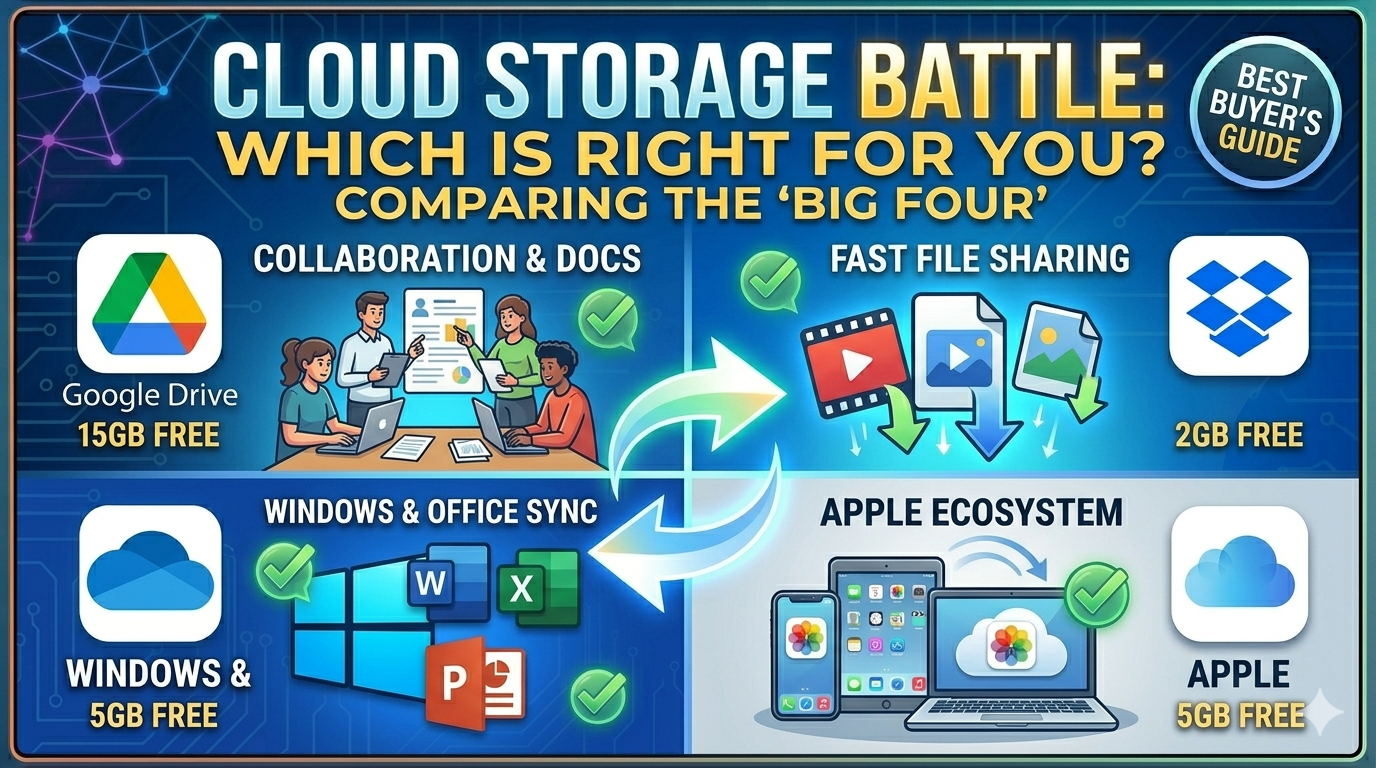
The days of carrying around a pocket full of easily losable USB flash drives are long over. Today, whether you are managing an online business, backing up precious family photos, or trying to figure out how to share massive 4K video files with a freelance video editor, the answer is always the same: The Cloud.
“The cloud” is simply a network of massive, highly secure servers owned by tech companies that you rent a tiny slice of. It acts as a hard drive in the sky, allowing you to access your files from your laptop, your phone, or a library computer halfway across the world.
However, not all cloud storage providers are created equal. The “Big Four”—Google, Apple, Microsoft, and Dropbox—each have distinct strengths, weaknesses, and pricing models. In this guide, we will break down the features of each ecosystem so you can choose the best home for your digital life.
1. Google Drive: The Collaboration King
If your daily routine involves creating content, planning projects with a team, or juggling multiple online businesses, Google Drive is likely the default choice.
Drive is deeply integrated with Google Workspace (Google Docs, Sheets, and Slides). Because multiple people can edit the same document simultaneously, it is the undisputed champion of real-time collaboration.
- Best For: Digital marketing teams, drafting video scripts, sharing folders of promotional assets, and anyone who relies on Gmail.
- The Free Tier: A generous 15GB (Note: This is shared across your Google Drive, Gmail, and Google Photos).
- Ecosystem: Works flawlessly on every device—Windows, Mac, iOS, and Android. It lives entirely in your web browser, making it incredibly lightweight.
- The Catch: Because your 15GB is shared with your email and photos, you might hit the storage limit faster than you expect.
2. Dropbox: The File-Sharing Veteran
Dropbox practically invented the modern consumer cloud storage industry. While the tech giants have caught up, Dropbox still excels at its core mission: moving large files quickly and reliably.
Dropbox uses a technology called “block-level sync.” If you make a tiny edit to a massive 10GB video file, Dropbox only uploads the small piece of data that changed, rather than re-uploading the entire 10GB file.
- Best For: Content creators sharing massive raw video files with a remote video editor, or professionals who need bulletproof, fast file syncing.
- The Free Tier: A very restrictive 2GB.
- Ecosystem: Incredibly platform-agnostic. It works beautifully on Mac, Windows, Linux, and mobile.
- The Catch: The free tier is practically useless for anything other than basic text documents. You have to pay to get real value out of Dropbox.
3. Microsoft OneDrive: The Windows Office Standard
If you use a Windows PC, you already have OneDrive. It is baked directly into the operating system’s File Explorer.
OneDrive shines if you are heavily invested in the Microsoft Office suite. If you use Microsoft Excel to track your personal budgeting, monitor ad payouts, or manage business accounting, saving those files to OneDrive allows you to utilize Microsoft’s powerful “AutoSave” feature, ensuring you never lose a single keystroke.
- Best For: Windows 10/11 users, financial planners, and students or professionals who live in Word and Excel.
- The Free Tier: 5GB.
- Ecosystem: Dominant on Windows. There is a Mac app, but it is not as seamless as it is on a PC.
- The Catch: The synchronization can sometimes feel clunky if you are trying to force it to work entirely outside the Microsoft ecosystem.
4. Apple iCloud: The Apple Ecosystem Anchor
Apple iCloud is less of a traditional “drag-and-drop” folder and more of a silent, invisible backup system that lives entirely in the background of your Apple devices.
If you shoot all your social media content for TikTok and Instagram on an iPhone, iCloud automatically syncs those high-resolution videos to your iPad and Mac without you ever having to press a button.
- Best For: Users who exclusively own Apple products (iPhone, Mac, iPad) and want a completely hands-off backup experience.
- The Free Tier: 5GB.
- Ecosystem: Phenomenal if you are inside the “walled garden” of Apple.
- The Catch: Terrible if you are not. Using iCloud on a Windows PC or an Android phone is a notoriously frustrating experience.
The Feature & Pricing Comparison
Note: Pricing is based on standard consumer tiers as of the current market and is subject to slight regional variations.
| Provider | Free Storage | 100GB – 200GB Tier | 1TB – 2TB Tier | Standout Feature |
| Google Drive (Google One) | 15 GB | ~$1.99 – $2.99 / mo | ~$9.99 / mo (2TB) | Unmatched live document collaboration. |
| Apple iCloud+ | 5 GB | ~$0.99 – $2.99 / mo | ~$9.99 / mo (2TB) | Seamless background sync for iOS/Mac. |
| Microsoft OneDrive | 5 GB | ~$1.99 / mo (100GB) | ~$6.99 / mo (1TB)* | *1TB tier includes full MS Office 365 apps. |
| Dropbox | 2 GB | N/A | ~$11.99 / mo (2TB) | Fastest syncing for massive media files. |
A Crucial Note on Privacy and Security
While all four of these providers use robust encryption to protect your data from outside hackers, they still hold the “keys” to your files. This means that, legally, their automated systems scan your files for illegal content, and they can be forced to hand over your data to law enforcement.
If privacy is your absolute number one priority (e.g., storing highly sensitive legal or medical documents), you should look into Zero-Knowledge Cloud Providers like Proton Drive or Sync.com. These services encrypt your data locally before it ever leaves your computer, meaning the company itself physically cannot see what is inside your folders.
The Bottom Line
Choosing the right cloud storage isn’t about finding the “best” service overall; it is about finding the one that perfectly fits the tools you already use.
If you live in spreadsheets and Windows, go with OneDrive. If you run your business communications and drafting out of a web browser, choose Google Drive. If you are juggling massive video files with a remote team, pay for Dropbox. And if your entire life is on an iPhone, upgrade your iCloud.
Leave a Reply