Author: maleda

  • G09 write with Voice keyboard

    G09 write with Voice keyboard

    g09  is a new and loosely defined term in software development that refers to the practice of prompting AI tools to generate code rather than writing code manually.  

    In software engineering, development is reshaping from strict, manual coding and becoming more flexible, AI-assisted and AI-powered through generative AI and AI-assisted coding. Vibe coding is at the forefront of this change. “Vibe coding” represents a shift toward intent-driven software development, where AI systems assist developers by generating code from natural language instructions.

    “Vibe coding” was introduced by renowned Computer scientist Andrej Karpathy in February 2025. According to Andrej Karpathy, it’s a coding strategy that involves minimal human coding because programmers and coders use AI codes in their programming tasks but concentrate more on how the result comes out, testing and fine-tuning. He also emphasized the significance of AI tools, coding tools and AI coding assistants in software development. 

    The field of vibe coding has moved from basic prompts for code to a deeper understanding of how coding works when focused around context, intention and orchestration. The further implementation of AI moves into actual tasks, the distinction will no longer be between specific programming languages and syntax but specifying intentions and contexts.

    Paradigm shift

    • Quick prototyping: As vibe coding continues to gain traction in the ecosystem, rapid prototyping is becoming a key enabler for teams to move ideas from early-stage concepts to functional prototype to scale. This ability is valuable for testing ideas in the market to see whether that idea will actually solve a problem or if strategy needs to change altogether.
    • Problem first approach: Moving from building code with a rigid coding style to dynamic structure enables swift innovation as the act of solving the problem becomes the cornerstone for developers over the tech stack itself.
    • Reduce risk, maximize impact: Vibe coding will enable businesses to quickly progress with a minimum viable product (MVP), cheaply experiment with ideas and adopt and adapt based on the feedback. This speed lowers sunk costs, increases the spread of risk and allows for pivoting because resources are only committed to validated concepts.
    • Multimodal switch: Vibe coding is evolving into multimodal programming with voice, visual and text-based coding to enhance productivity. Some of the most fascinating trends include voice-driven coding, visual programming interfaces, AI-enabled code generation and hybrid development environments. These trends improve coding’s usability, flexibility and intuitiveness, reshaping the landscape of software development.

    INSTALL 

    The latest AI trends, brought to you by experts

    Get curated insights on the most important—and intriguing—AI news. Subscribe to our weekly Think newsletter. See the IBM Privacy Statement.
  • g11 undelete and recover lost photos

    g11 undelete and recover lost photos

    g11 BDiskDigger can undelete and recover lost photos, images, videos, documents, or other types of non-media files from your internal memory or external memory card. Whether you accidentally deleted a photo, or even reformatted your memory card, DiskDigger’s powerful data recovery features can find your lost pictures, videos, or other data, and let you restore them.

    You can upload your recovered files directly to Google Drive, Dropbox, or send them via email. The app also allows you to save the files to a different local folder on your device.

    Note: DiskDigger requires the “Access all files” permission on your device, to be able to search all locations on the device for lost and recoverable files. When you are asked for this permission, please enable it so that DiskDigger can search your device most effectively.

    * If your device is not rooted, the app will perform a “limited” search for your lost files by performing a full search of your existing internal storage, thumbnail caches, databases, and more.

    * If your device is rooted, the app will search all of your device’s memory for any trace of photos, videos, and certain other types of files.

    * After the scan is complete, tap the “Clean up” button to permanently delete any items that you no longer need (currently an experimental feature, available only in the Basic Scan).


    INSTALL 


    * You can also use the “Wipe free space” option to erase the remaining free space on your device, so that any deleted files can no longer be recoverable.

    For complete instructions, please see 

    If you need to recover even more types of files, or for recovering the files directly over SFTP and other methods, try DiskDigger Pro!

  • LTV DATE LATIVIAN Women

    LTV DATE LATIVIAN Women

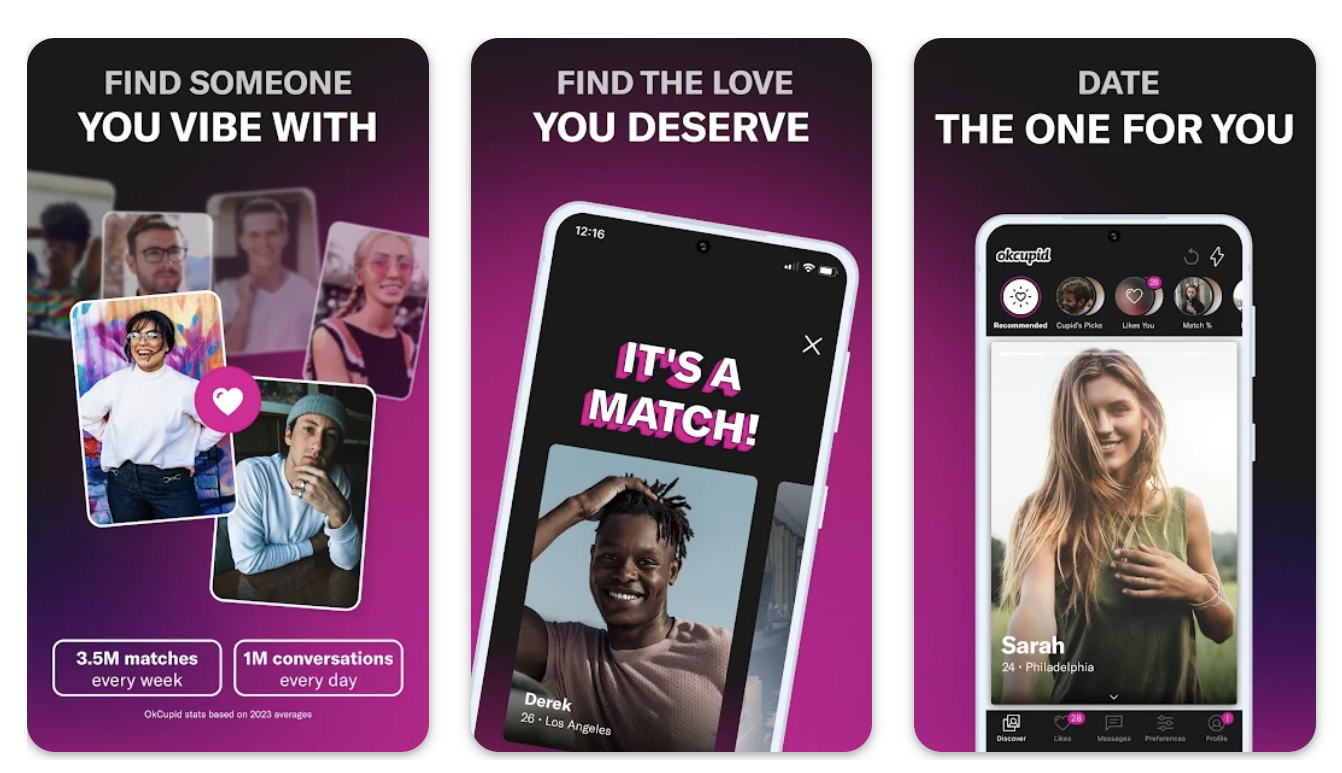
    ltv Get the best online dating app experience and match-up based on who you really are and what you love. OkCupid is all about inclusive online dating for every single person!
    ltv
    The dating app that lets you experience real adult dating for those who know what they want!

    With OkCupid, you can meet singles and new friends online or find serious relationships, chat, flirt, date and make meaningful connections. Find your match, connect, and make a date for tonight!

    This matchmaking app cares about you. We’ve created an exciting online dating environment for every single person where you can meet singles who share your values. Try it now and start your journey towards better relationships.

    Personalize your dating profile with your interests, what your dating expectations are, and leave the rest to the matching algorithm!

    Great dates come from true matches – that’s why the OkCupid online dating app shows off who you are beyond a photo so you can flirt, chat, and connect with people who really get you.

    Meet cute singles, build connections and find love! You deserve it all!

    • Love is inclusive, and so is OkCupid. Create a free dating profile that highlights what makes you special and unique.

    • Find your soulmate from over 60 different gender identities and sexual orientations: Gay, Lesbian, Bisexual, pansexual, queer and more.

    • She/her, he/him, they/them – highlight your gender pronouns and meet locals near you!

    • On OkCupid you can find everything you are looking for – Asian dating, Afroromance, gay love, Latino, straight, or anything in between – love and connections that transcend borders.

    • Go on great dates, flirt, chat and find your match by giving your own unique answers!

    • Round it off with your cutest profile picture and you’re ready to meet new people, find love or go on a great date tonight.

    • Meaningful connections can come in many shapes and sizes – create new friendships, chat with new and interesting people, find a new exciting romance, or connect with a serious relationship!

    OkCupid isn’t just another online app for dates. Our free dating app helps you meet singles, connect, chat flirt, or have a deep conversation through our one-of-a-kind messaging system. Focus on the connections you’re interested in without the ones you’re not. Then, plan to meet up and go on great dates – whether you’re looking for local dating, virtual dating or anything in between!

    Take the stress out of online dating. OkCupid can help you find your match, whether you want casual dating, marriage, or just to find your love story – YOU choose what matters. Match with people with similar interests and receive a personalized match percentage when you answer our unique questions. We’re here to help you find relationships on your terms.

    Flirt, find love, chat, build connections and go on great dates with OkCupid, the best free dating app! Download now!

    MATCH, CONNECT AND MEETUP
    • Meet new people and find relationships with our unique messaging system
    • Local dating features help you meet people nearby

    DATING APP UPGRADE
    OkCupid is a free dating app for everyone, but we offer an optional premium subscription that unlocks exclusive features. Additional premium dating features include:
    • See who likes you without having to like them first
    • Send unlimited likes for more date matches!
    • Set Dealbreakers so you can find just who you’re looking for and match on what matters

    All photos are of models and used for illustrative purposes only.

    Meet singles and find great connections – download OkCupid and enjoy the best online dating app today!

    INSTALL

    premium dating features include:
    • See who likes you without having to like them first
    • Send unlimited likes for more date matches!
    • Set Dealbreakers so you can find just who you’re looking for and match on what matters

    All photos are of models and used for illustrative purposes only.

    Meet singles and find great connections – download OkCupid and enjoy the best online dating app today!

  • cc1 Free Call App For Every one

    cc1 Free Call App For Every one

    cc1 JusCall – Your FREE, SECURE, and RELIABLE International Calling Solution
    Experience crystal-clear audio quality for completely free local and international calls. Download this advanced VoIP app and make your first FREE call today!

    WHY CHOOSE JUSCALL:
    Global Free Calling
    Make unlimited free calls to mobile/landline numbers across 230+ countries and regions. Stay connected while traveling – call any device (tablets, computers, etc.) worldwide without requiring recipients to install other APP or have internet access.

    No SIM Card Needed
    No SIM card or phone number required! Enjoy unlimited worldwide calling through WiFi or cellular data (3G/4G/5G). Perfect for international travelers and digital nomads.

    Premium Audio Quality
    Our dedicated VoIP network delivers HD voice clarity through advanced audio compression technology. Free calls are no longer of low quality! With JusCall, you can make calls even in the case of poor cellular phone reception.

    100% Cost-Free Service
    Unbeatable pay-as-you-go rates and no hidden fees. JusCall operates independently of your cellular plan minutes, offering truly free global calling.

    Enhanced Conference Calling
    Host professional 8-way conference calls with HD audio and live video support. Ideal for remote teams, international business meetings, and virtual family gatherings.

    Smart Call Recording
    Instantly capture important conversations with one-tap recording during the calls. Securely store and manage recordings directly within the app.

    Universal Compatibility
    Call any phone number worldwide – recipients don’t need the JusCall app. Simply dial directly from your device using our internet-based calling system (WiFi/VoIP/IP calls).
    *JusCall utilizes Internet call (Wi-Fi call, IP call, or VoIP call), which requires a data connection.
    *Unlike international calling cards, JusCall does not use your cell minutes.
    *Data charges may apply. Check with your carrier for details.

    Important Notes:
    • Service requires internet connection (WiFi/cellular data)
    • Does not consume cellular plan minutes
    • Carriers may apply data charges

    Love using JusCall? Help us improve by rating (⭐⭐⭐⭐⭐) on Google Play! Share the app with friends and family to enjoy free global connectivity together.

    Thank you for choosing JusCall – Where the World Connects Freely!
    We continuously optimize JusCall to enhance your experience.

    For support, feedback, or partnership inquiries


    GET IT NOW 


    Thank you for choosing JusCall – Where the World Connects Freely!
    We continuously optimize JusCall to enhance your experience.

    For support, feedback, or partnership inquiries

  • Netflix Pro

    Netflix Pro

    Netflix pro Looking for the most talked about TV shows and movies from around the world? They’re all on Netflix.

    Discover award-winning series, movies, live events, podcasts, and games on the go – all in the mobile app. Now, you’ll never miss a moment from the world of Netflix while you travel, commute, or just take a break.

    What you’ll love about Netflix:

    – Smooth navigation with bottom shortcuts to quickly browse or jump back into your favorites.

    – A new way to discover what’s next, including an upcoming clips feed.

    – A full world of entertainment in one place – series, movies, live events, games, and podcasts.

    – Keep track of everything you love, from your favorite moments to ‘My List’, in the ‘My Netflix’ tab.

    – Personalized recommendations based on your ratings. Instant notifications for new releases, episodes, and live events.


    Netflix membership is a month-to-month subscription that begins at sign-up. You can easily cancel anytime, online, 24 hours a day. There are no long-term contracts or cancellation fees. We just want you to love what you watch.


    Please note that the App Privacy information applies to information collected through the Netflix iOS, iPadOS, and tvOS apps. See the Netflix Privacy Statement (link below) to learn more about information we collect in other contexts, including account registration.
    enlightened

    DOWNLOAD 


    Please note that the App Privacy information applies to information collected through the Netflix iOS, iPadOS, and tvOS apps. See the Netflix Privacy Statement (link below) to learn more about information we collect in other contexts, including account registration.
  • 045 Hedin Camera Detector

    045 Hedin Camera Detector

    045 🧠 Introduction: The Dual Challenge of Modern Leadership

    045 Tech leaders in finance face a unique balancing act: driving innovation while maintaining operational efficiency. The digital era demands constant experimentation with new tools and strategies, but unchecked innovation can lead to wasted resources. The key is finding harmony—leveraging online productivity tips to foster creativity without sacrificing financial discipline.

    ይጫኑ  

    🚀 Why Innovation Matters in Finance

    • Competitive Edge: Fintech startups and digital-first banks are disrupting traditional models.
    • Customer Expectations: Clients demand faster, smarter, and more personalized financial services.
    • Emerging Technologies: AI, blockchain, and cloud computing are reshaping how finance operates.
    • Global Reach: Digital platforms enable expansion into new markets with minimal overhead.

    📊 Why Efficiency Is Equally Critical

    • Cost Control: Efficiency ensures innovation doesn’t drain financial resources.
    • Risk Management: Streamlined processes reduce errors and compliance risks.
    • Scalability: Efficient systems allow businesses to grow without collapsing under complexity.
    • Sustainability: Balanced operations protect long-term profitability.

    💡 Online Productivity Tips for Tech Leaders

    1. Leverage Cloud Collaboration Tools: Platforms like Microsoft Teams, Slack, and Google Workspace keep teams aligned across geographies.
    2. Automate Routine Tasks: Use AI-driven tools for reporting, invoicing, and compliance checks to free time for strategic work.
    3. Adopt Agile Project Management: Tools like Trello, Asana, or Jira help teams innovate quickly while tracking efficiency.
    4. Use Data Dashboards: Real-time analytics platforms (Power BI, Tableau) provide visibility into both innovation projects and financial performance.
    5. Encourage Knowledge Sharing: Online forums, internal wikis, and digital workshops prevent duplication of effort and accelerate learning.
    6. Set Clear Digital Boundaries: Productivity apps like RescueTime or Focus@Will help leaders avoid burnout by managing online distractions.

    ⚖️ Balancing Innovation and Efficiency in Practice

    • Pilot Before Scaling: Test new technologies in small teams before rolling them out company-wide.
    • Measure ROI: Track the financial impact of innovation projects to ensure they justify investment.
    • Hybrid Approach: Blend traditional financial discipline with digital experimentation.
    • Continuous Feedback Loops: Use online surveys and performance metrics to refine strategies in real time.

    🌍 Case Studies of Success

    • Goldman Sachs: Leveraged AI-driven risk models while streamlining operations with cloud-based systems.
    • Stripe: Innovated in online payments while maintaining lean, efficient infrastructure.
    • Small Fintech Firms: Many startups scale globally by combining agile innovation with disciplined financial management.

    🚀 The Road Ahead

    The future of finance leadership lies in adaptive balance. Tech leaders who embrace online productivity tools will be able to innovate boldly while keeping efficiency at the core. As AI and blockchain mature, the ability to integrate these technologies seamlessly into financial operations will define the next generation of successful leaders.

    ✅ In summary: Tech leaders in finance must balance innovation and efficiency to thrive. By applying online productivity tips—automation, collaboration, agile management, and data-driven insights—they can drive growth while safeguarding financial sustainability.

  • The Basics of Building a Smart Home: Where to Start Without Getting Overwhelmed

    The Basics of Building a Smart Home: Where to Start Without Getting Overwhelmed


    We have all seen the sci-fi movies where a character walks into a room, says a single word, and the entire house springs to life—lights dimming, music playing, and the coffee machine whirring.

    For a long time, having a “smart home” meant hiring expensive contractors to hardwire your entire house. Today, that sci-fi reality is available to anyone with a Wi-Fi connection and a spare $20.

    Whether you are a busy professional trying to automate your morning routine, an online business owner looking to streamline your home office, or a creator wanting to change your room’s background lighting for a TikTok video with a single voice command, a smart home can save you serious time and energy.

    However, walking into the smart tech aisle of an electronics store can be incredibly intimidating. In this beginner’s guide, we will cut through the noise, help you choose an ecosystem, and show you the three cheapest, easiest upgrades to get started.


    Step 1: Choose Your Ecosystem (The Brain)

    Before you buy a single lightbulb or camera, you need to decide who is going to be the “boss” of your house. If you buy a Google camera, an Amazon lightbulb, and an Apple door lock, they might not know how to talk to each other, forcing you to use three different apps just to control your living room.

    To keep things simple, you want to pick one central ecosystem. The “Big Three” are:

    • Amazon Alexa: The most widely compatible ecosystem on the market. Almost every smart device ever made works with Alexa. It is incredibly affordable to get started with a basic Echo Dot speaker.
    • Google Home (Google Assistant): If you already rely heavily on Google Calendar, Gmail, and Android devices, Google Home is a seamless fit. It is generally considered to be the “smartest” voice assistant when it comes to answering complex internet search questions.
    • Apple HomeKit: The best choice for absolute privacy and strict security. If your entire family uses iPhones, iPads, and Macs, HomeKit works beautifully. However, fewer third-party devices are compatible with Apple, and the hardware tends to be more expensive.

    Pro Tip: Look for the “Matter” logo on any new smart device you buy. Matter is a new universal industry standard. If a device has the Matter logo, it is guaranteed to work flawlessly with Alexa, Google, AND Apple, future-proofing your home!


    Step 2: The 3 Best “Easy Wins” for Beginners

    You do not need to replace your refrigerator or your washing machine to have a smart home. Start small with these three affordable, high-impact upgrades.

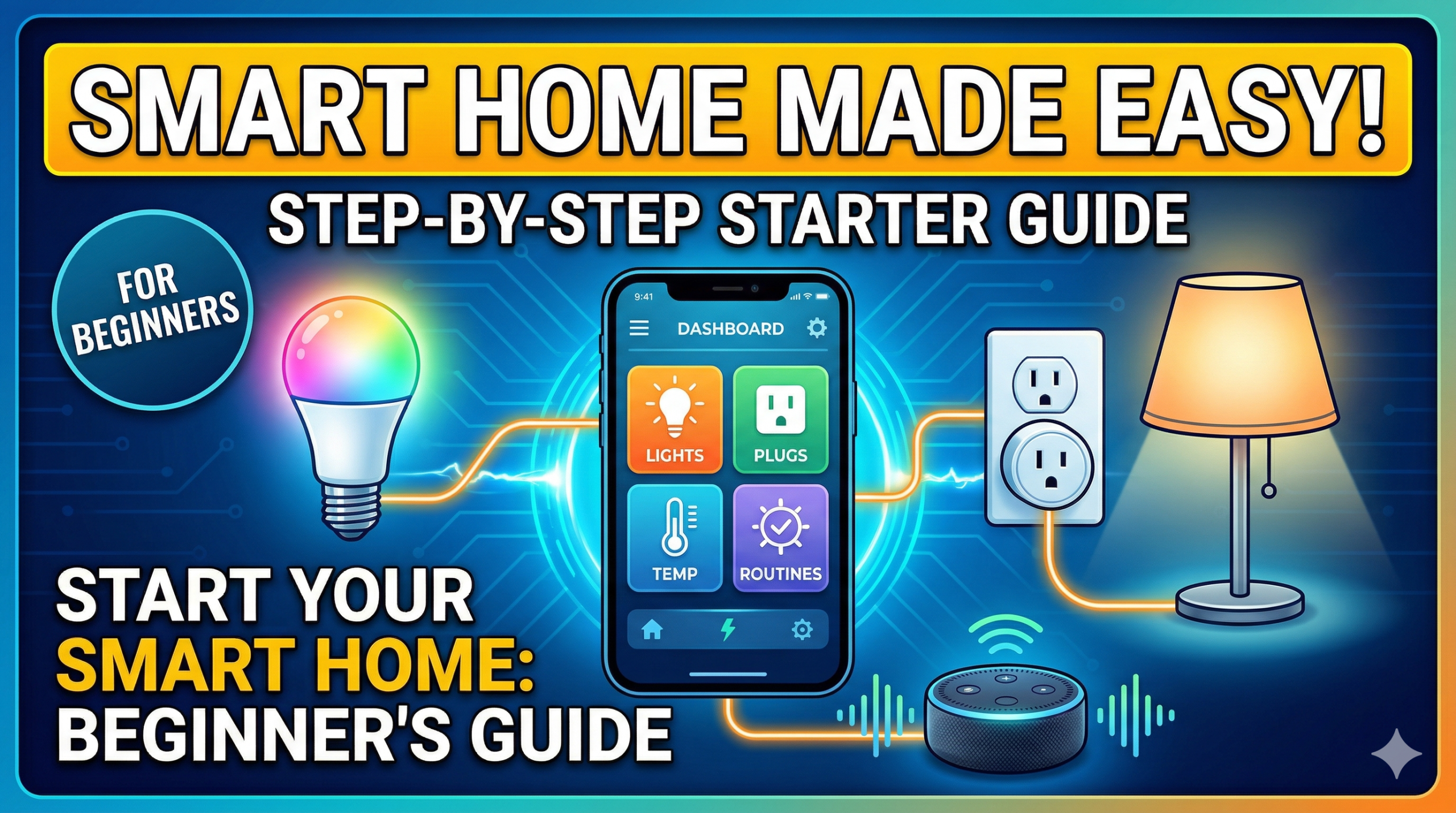
    1. Smart Plugs (The Cheapest Upgrade)

    A smart plug is a small adapter that plugs into your regular wall outlet; you then plug your “dumb” appliances into it. It connects to your Wi-Fi, allowing you to cut the power on or off via an app or your voice.

    • Best Uses: Plug in a traditional living room lamp, a box fan, or your morning coffee maker. You can set a schedule so your coffee maker turns on exactly five minutes before your alarm clock goes off, or ensure your space heater automatically turns off when you leave the house.

    2. Smart Bulbs (The Vibe Setter)

    Smart LED bulbs screw into your existing light fixtures but contain tiny Wi-Fi or Bluetooth radios.

    • Best Uses: Beyond just turning lights on and off from the couch, color-changing smart bulbs are a game-changer. You can set them to an energizing cool-blue light for working in your home office, dim them to a warm orange for reading at night, or instantly switch them to neon colors to create a dynamic background for shooting social media content.

    3. A Smart Speaker / Hub (The Voice Commander)

    While you can control smart plugs and bulbs from an app on your phone, true automation means never having to pull your phone out of your pocket.

    • Best Uses: Buying a small, $30 to $50 smart speaker (like a Google Nest Mini or Amazon Echo Dot) allows you to use voice commands. You simply say, “Turn off the office lights,” or “Set the living room to movie mode,” and the speaker commands the rest of your devices instantly.

    Step 3: Setting Up “Routines” (Where the Magic Happens)

    Once you have a smart plug or a few smart bulbs, the real power of a smart home comes from creating Routines (sometimes called Automations).

    Instead of controlling one device at a time, a routine groups actions together based on a specific trigger. You set these up once in your Alexa, Google, or Apple app, and they run automatically forever.

    Examples of Beginner Routines:

    • “Good Morning”: When you say your wake word, the system slowly turns up the bedroom lights, starts your coffee maker via a smart plug, and reads you the day’s weather and your calendar appointments.
    • “Leaving Home”: When your phone’s GPS detects that you have left your neighborhood, the system automatically turns off every smart light in the house, locks the smart deadbolt, and turns down the thermostat to save money.
    • “Action!”: If you are filming a video, a single command can turn off the overhead lights, turn on your colorful background smart bulbs, and silence notifications on your other devices.

    Crucial Advice Before You Start

    As you begin building your smart home, keep these two foundational rules in mind:

    1. Your Wi-Fi is the Backbone: A smart home is only as smart as the network it relies on. If you are adding 15 new smart bulbs and plugs to your house, a weak, ten-year-old router will start dropping connections. Ensure your home Wi-Fi network is optimized (and potentially upgraded to a Mesh system) to handle the extra traffic.
    2. Secure Your Virtual Front Door: Every smart plug and camera is a tiny computer connected to the internet. Always secure your Amazon, Google, or Apple accounts with a strong, unique password and Two-Factor Authentication (2FA) to ensure nobody but you can control your home.

    The Bottom Line

    Building a smart home isn’t an all-or-nothing project. You don’t need to spend a fortune to live in the future. By picking a central ecosystem, buying a few $15 smart plugs and bulbs, and experimenting with daily routines, you can slowly build a customized, automated home that perfectly fits your lifestyle and saves you valuable time every single day.

  • Demystifying Git and GitHub for Non-Developers: The Magic Undo Button of Modern Tech

    Demystifying Git and GitHub for Non-Developers: The Magic Undo Button of Modern Tech


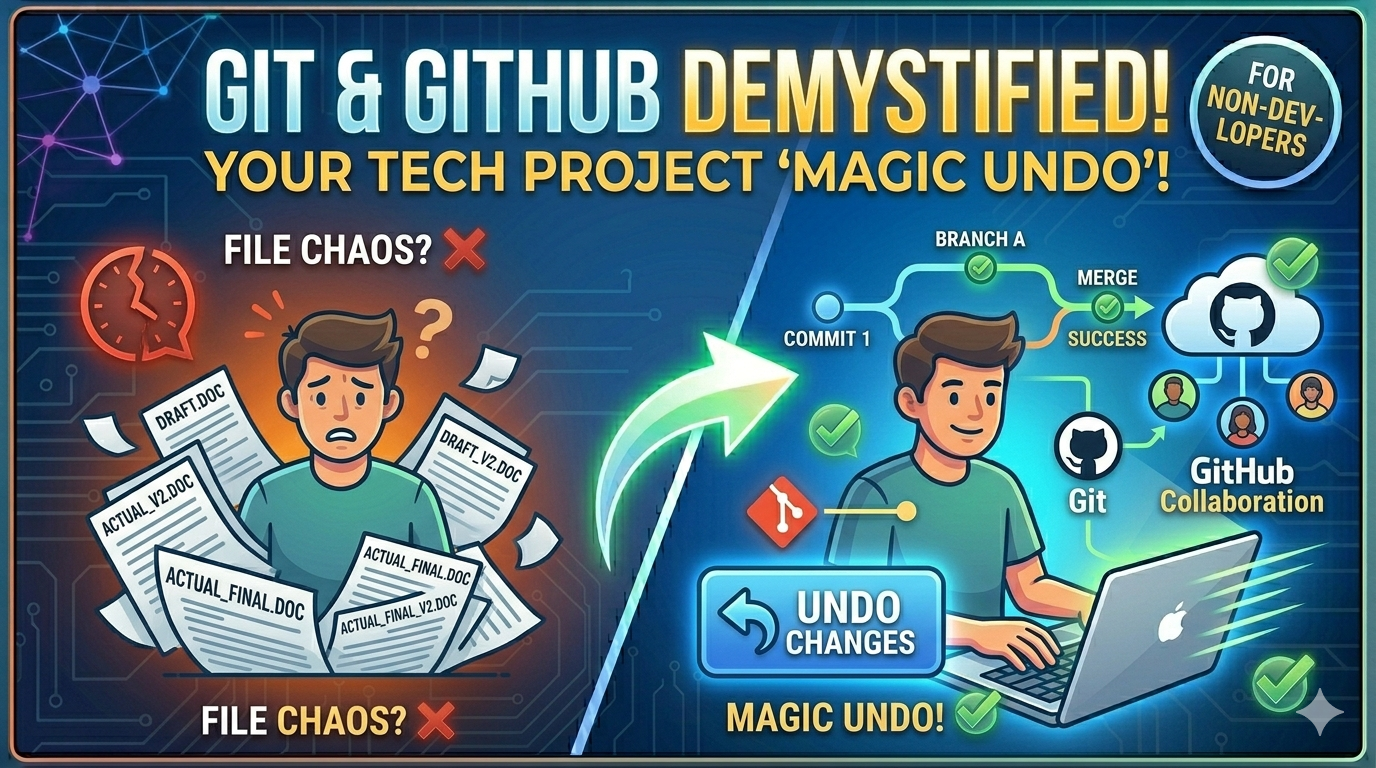
    If you have ever worked on a major collaborative project, whether it was a college thesis or a corporate presentation, you are likely intimately familiar with the “File Naming Game.”

    Your desktop probably looked something like this:

    • Website_Draft.docx
    • Website_Draft_v2.docx
    • Website_Draft_FINAL.docx
    • Website_Draft_ACTUAL_FINAL_Johns_Edits.docx

    It is a chaotic, stressful way to work. If someone accidentally deletes a crucial paragraph in the newest version, trying to dig through old files to find exactly what was changed is a nightmare.

    Now, imagine you are a software development team building an app with millions of lines of code, and ten different people are editing that code at the exact same time. If they used the “File Naming Game,” the entire tech industry would collapse.

    To solve this, developers use something called Version Control. At the heart of this system are two terms you have likely heard thrown around in the tech world: Git and GitHub.

    While they sound intimidating, the concepts behind them are brilliantly simple. In this guide, we will translate developer jargon into plain English so you can understand exactly how modern software is built.


    What is Version Control?

    Before defining the tools, you need to understand the concept.

    Version control is a system that records changes to a file or set of files over time so that you can recall specific versions later. Imagine you are writing a book, but instead of just saving the file and overwriting your old work, you have a magical assistant standing behind you. Every time you finish a chapter, the assistant takes a complete snapshot of your entire manuscript, timestamps it, and asks you to write a quick sticky note explaining what you changed (e.g., “Added plot twist in chapter 4”).

    If you decide two months later that the plot twist was a terrible idea, you don’t have to rewrite the whole book. You just tell the assistant to restore the exact snapshot from two months ago. That is version control.


    What is Git? (The Camera)

    Git is the most popular version control software in the world. It was created in 2005 by Linus Torvalds (the same genius who created the Linux operating system).

    Git is the actual “magical assistant” taking the snapshots. It is a free program that runs locally on your computer. When a developer types out code, Git works silently in the background, tracking exactly which lines of text were added, deleted, or modified.

    The Core Concepts of Git (Translated)

    To understand how developers talk, here is a quick translation guide of Git’s most common terms:

    • Repository (or “Repo”): This is simply the master folder for the project. When you tell Git to track a folder, that folder becomes a repository.
    • Commit: This is the act of taking a snapshot. When a developer makes a change they are happy with, they “commit” the code. Every commit requires a short message explaining the change.
    • Branch: This is Git’s true superpower. Imagine a developer wants to test a radical new feature, like changing the entire website layout, but they don’t want to break the live website. They create a “Branch.” This spins off an alternate universe copy of the code where they can safely experiment. The main code (the “Master” or “Main” branch) remains completely untouched.
    • Merge: If the experimental layout on the new branch looks great, the developer can “merge” that branch back into the main branch, combining the two timelines seamlessly.

    What is GitHub? (The Network)

    The biggest point of confusion for beginners is assuming Git and GitHub are the same thing. They are not.

    If Git is the camera taking the snapshots, GitHub is Instagram.

    Git runs locally on your specific computer. But what if you need to collaborate with a developer in London and another in Tokyo? You need a central place to host those code snapshots so everyone can access them.

    GitHub is a website (currently owned by Microsoft) that hosts Git repositories in the cloud. It provides a visual interface that makes it incredibly easy for teams to:

    1. Download (Clone): Take a copy of the master code from GitHub down to their local computer.
    2. Upload (Push): Send their new, local “commits” up to the central GitHub repository for the rest of the team to see.
    3. Review (Pull Request): Before code is merged into the final product, a developer submits a “Pull Request.” This highlights exactly what code they want to change and asks the senior developers to review and approve it.

    Why Non-Developers Need to Understand This

    You don’t need to know how to write code to benefit from understanding the Git/GitHub workflow. If you are a project manager, a digital marketer, or an entrepreneur hiring freelance developers to build a website or an app, understanding this ecosystem is critical for three reasons:

    1. It is the Ultimate Insurance Policy

    If you hire a developer to update your company website and they accidentally delete the checkout page, you don’t need to panic. Because the project is tracked with Git, you can simply “roll back” the code to the snapshot from yesterday. The mistake is instantly erased.

    2. It Manages Freelancers Safely

    If you hire an external contractor to build a new feature, you do not want them editing your live, money-making website directly. Using GitHub, you can force them to work on a separate “Branch” and submit a “Pull Request.” This ensures your lead developer can inspect their work before it ever touches your live servers.

    3. It Documents Everything

    GitHub acts as the ultimate paper trail. Every line of code has a timestamp and an author’s name attached to it. If something breaks six months from now, you can look at the GitHub history, find the exact line of code that caused the issue, and see exactly who wrote it and why.

    The Bottom Line

    Git and GitHub might seem like intimidating tools built exclusively for hardcore programmers, but at their core, they are just incredibly efficient filing cabinets. They replaced the anxiety of the “File Naming Game” with a structured, collaborative environment that allows teams to build complex software without stepping on each other’s toes.

  • Why Python is the Perfect First Programming Language (and How to Start Today)

    Why Python is the Perfect First Programming Language (and How to Start Today)


    Learning to code can feel incredibly intimidating. If you look over the shoulder of a seasoned software developer, you will likely see a dark screen filled with glowing text, strange brackets, and mathematical symbols that look like an alien language.

    It is easy to assume that unless you are a math genius or have a degree in computer science, programming is locked away from you. But that is simply not true. The secret to learning how to code isn’t about being a genius; it is about picking the right starting line.

    For the vast majority of people today, the absolute best place to start is Python.

    Whether you want to build the next big web application, automate your digital marketing tasks, or just understand how the technology around you works, Python is the ultimate gateway. In this guide, we will break down exactly why Python is the undisputed king of beginner programming languages and show you how to write your very first script in under five minutes.


    1. It Reads Like Plain English

    The biggest hurdle with older programming languages (like C++ or Java) is their “syntax.” Syntax is the set of grammatical rules you have to follow so the computer understands you. Older languages have strict, unforgiving syntax packed with semicolons and curly brackets. If you miss a single semicolon, the entire program crashes.

    Python was intentionally designed by its creator, Guido van Rossum, to be incredibly readable. It prioritizes clean, uncluttered spaces and uses standard English words instead of confusing punctuation.

    Let’s look at a practical example. If you want to tell the computer to print the phrase “Hello, World!” on the screen, here is what it looks like in Java:

    Java

    public class HelloWorld {
        public static void main(String[] args) {
            System.out.println("Hello, World!");
        }
    }
    

    That is a lot of confusing jargon just to print two words. Now, here is the exact same command in Python:

    Python

    print("Hello, World!")
    

    That’s it. No complicated wrappers or confusing brackets. It does exactly what it says it will do. This readability means you spend less time memorizing punctuation and more time actually learning how to solve problems.


    2. Insane Versatility: What Can You Actually Build?

    Some programming languages are “one-trick ponies,” built specifically to do one thing (like styling a webpage or querying a database). Python is the ultimate Swiss Army knife.

    Once you learn the basics of Python, you can apply it to almost any tech discipline in the world. Here are just a few things you can do:

    • Automate Boring Tasks: If you manage a digital brand, you can write a Python script that automatically resizes a folder of promotional images, renames them for SEO, and schedules them for your social media feeds.
    • Data Analysis & Finance: Instead of manually updating massive Microsoft Excel spreadsheets for a budget or business payout ledger, Python can instantly scrape data, organize it, and generate a visual graph of your finances in seconds.
    • Web Development: Some of the largest websites in the world, including Instagram, Spotify, and Netflix, rely heavily on Python to manage their back-end systems.
    • Artificial Intelligence: Python is the undisputed language of the AI revolution. If you want to build machine learning models or interact with tools like ChatGPT programmatically, Python is mandatory.

    3. A Massive, Welcoming Community

    When you are learning to code, you will get stuck. You will write a script, run it, and get an ugly red error message.

    Because Python is so popular (it consistently ranks as the #1 or #2 most used language in the world), the internet is overflowing with free resources, tutorials, and forums to help you. If you encounter an error, millions of other beginners have encountered that exact same error before you. A quick Google search will almost always yield a friendly answer on sites like Stack Overflow or Reddit.

    Furthermore, Python has a massive ecosystem of “libraries.” A library is a bundle of pre-written code that you can plug into your project for free. If you want to build a video game, you don’t have to code the physics engine from scratch; you just download the free Pygame library. If you want to analyze data, you download the Pandas library. The community has already done the heavy lifting for you.


    Your First Lesson: Write Your First Script

    You don’t need to download any heavy software to see Python in action. You can run it directly in your web browser right now.

    1. Open a new tab and go to an online Python compiler like Programiz or Replit.
    2. You will see a blank text editor. Click inside it and type the following line exactly as it appears:

    Python

    print("My first Python script!")
    
    1. Now, look for the big “Run” or “Play” button on the screen and click it.
    2. In the output console (usually on the right side or bottom of the screen), you will see the computer speak back to you:My first Python script!

    Congratulations. You just wrote a functional piece of software.

    Now, let’s do some math. Delete the first line, type this, and hit Run:

    Python

    revenue = 5000
    expenses = 1200
    profit = revenue - expenses
    
    print("Total Profit:")
    print(profit)
    

    The computer will instantly output 3800. You have just created a tiny, functional financial calculator!

    The Bottom Line

    You do not need to be a math prodigy to learn to code. Programming is simply the act of giving a computer a set of logical instructions, and Python is the easiest, most human-friendly way to give those instructions.

    By starting with Python, you bypass the frustrating syntax of older languages and immediately start building real, useful tools that can automate your workflow, analyze your data, and launch your digital career.

  • Understanding Cloud Storage: Which Service is Right for You?

    Understanding Cloud Storage: Which Service is Right for You?


    The days of carrying around a pocket full of easily losable USB flash drives are long over. Today, whether you are managing an online business, backing up precious family photos, or trying to figure out how to share massive 4K video files with a freelance video editor, the answer is always the same: The Cloud.

    “The cloud” is simply a network of massive, highly secure servers owned by tech companies that you rent a tiny slice of. It acts as a hard drive in the sky, allowing you to access your files from your laptop, your phone, or a library computer halfway across the world.

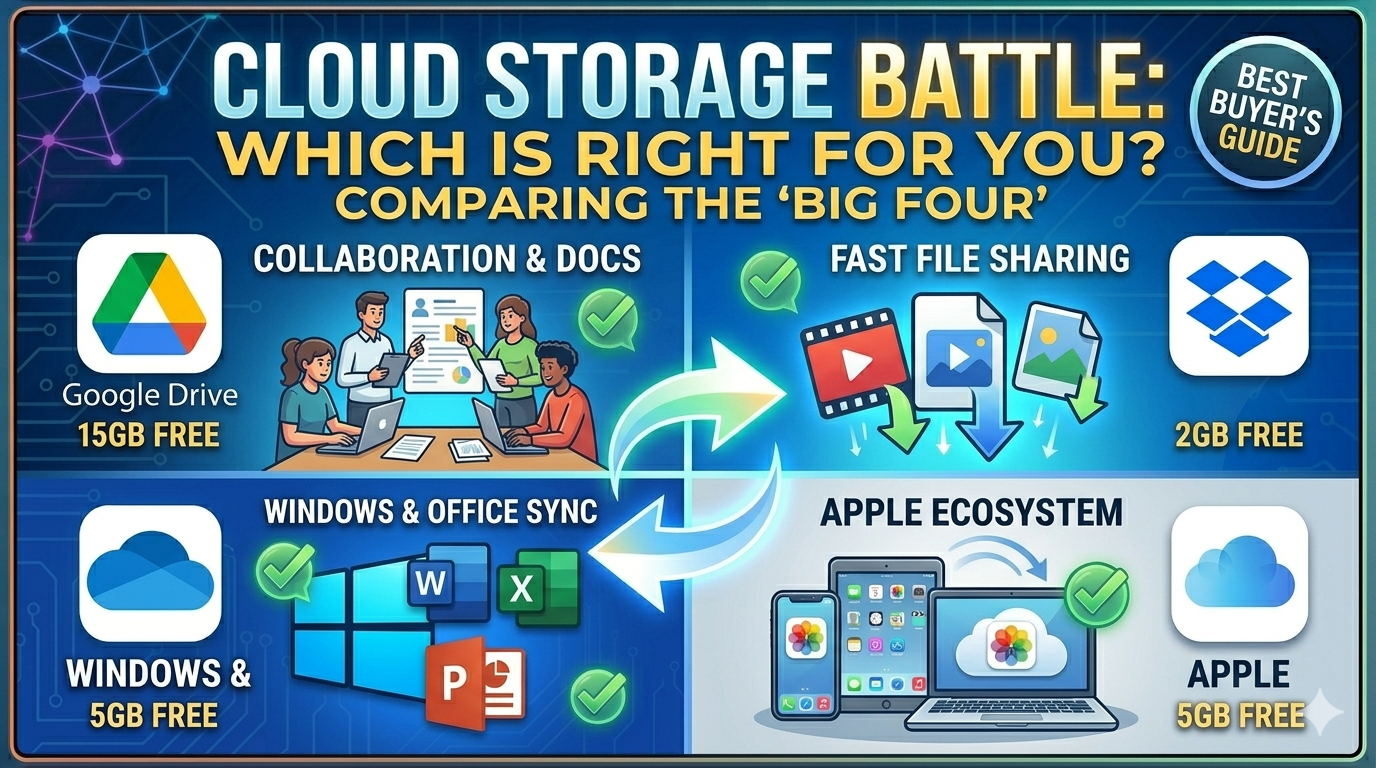
    However, not all cloud storage providers are created equal. The “Big Four”—Google, Apple, Microsoft, and Dropbox—each have distinct strengths, weaknesses, and pricing models. In this guide, we will break down the features of each ecosystem so you can choose the best home for your digital life.


    1. Google Drive: The Collaboration King

    If your daily routine involves creating content, planning projects with a team, or juggling multiple online businesses, Google Drive is likely the default choice.

    Drive is deeply integrated with Google Workspace (Google Docs, Sheets, and Slides). Because multiple people can edit the same document simultaneously, it is the undisputed champion of real-time collaboration.

    • Best For: Digital marketing teams, drafting video scripts, sharing folders of promotional assets, and anyone who relies on Gmail.
    • The Free Tier: A generous 15GB (Note: This is shared across your Google Drive, Gmail, and Google Photos).
    • Ecosystem: Works flawlessly on every device—Windows, Mac, iOS, and Android. It lives entirely in your web browser, making it incredibly lightweight.
    • The Catch: Because your 15GB is shared with your email and photos, you might hit the storage limit faster than you expect.

    2. Dropbox: The File-Sharing Veteran

    Dropbox practically invented the modern consumer cloud storage industry. While the tech giants have caught up, Dropbox still excels at its core mission: moving large files quickly and reliably.

    Dropbox uses a technology called “block-level sync.” If you make a tiny edit to a massive 10GB video file, Dropbox only uploads the small piece of data that changed, rather than re-uploading the entire 10GB file.

    • Best For: Content creators sharing massive raw video files with a remote video editor, or professionals who need bulletproof, fast file syncing.
    • The Free Tier: A very restrictive 2GB.
    • Ecosystem: Incredibly platform-agnostic. It works beautifully on Mac, Windows, Linux, and mobile.
    • The Catch: The free tier is practically useless for anything other than basic text documents. You have to pay to get real value out of Dropbox.

    3. Microsoft OneDrive: The Windows Office Standard

    If you use a Windows PC, you already have OneDrive. It is baked directly into the operating system’s File Explorer.

    OneDrive shines if you are heavily invested in the Microsoft Office suite. If you use Microsoft Excel to track your personal budgeting, monitor ad payouts, or manage business accounting, saving those files to OneDrive allows you to utilize Microsoft’s powerful “AutoSave” feature, ensuring you never lose a single keystroke.

    • Best For: Windows 10/11 users, financial planners, and students or professionals who live in Word and Excel.
    • The Free Tier: 5GB.
    • Ecosystem: Dominant on Windows. There is a Mac app, but it is not as seamless as it is on a PC.
    • The Catch: The synchronization can sometimes feel clunky if you are trying to force it to work entirely outside the Microsoft ecosystem.

    4. Apple iCloud: The Apple Ecosystem Anchor

    Apple iCloud is less of a traditional “drag-and-drop” folder and more of a silent, invisible backup system that lives entirely in the background of your Apple devices.

    If you shoot all your social media content for TikTok and Instagram on an iPhone, iCloud automatically syncs those high-resolution videos to your iPad and Mac without you ever having to press a button.

    • Best For: Users who exclusively own Apple products (iPhone, Mac, iPad) and want a completely hands-off backup experience.
    • The Free Tier: 5GB.
    • Ecosystem: Phenomenal if you are inside the “walled garden” of Apple.
    • The Catch: Terrible if you are not. Using iCloud on a Windows PC or an Android phone is a notoriously frustrating experience.

    The Feature & Pricing Comparison

    Note: Pricing is based on standard consumer tiers as of the current market and is subject to slight regional variations.

    ProviderFree Storage100GB – 200GB Tier1TB – 2TB TierStandout Feature
    Google Drive (Google One)15 GB~$1.99 – $2.99 / mo~$9.99 / mo (2TB)Unmatched live document collaboration.
    Apple iCloud+5 GB~$0.99 – $2.99 / mo~$9.99 / mo (2TB)Seamless background sync for iOS/Mac.
    Microsoft OneDrive5 GB~$1.99 / mo (100GB)~$6.99 / mo (1TB)**1TB tier includes full MS Office 365 apps.
    Dropbox2 GBN/A~$11.99 / mo (2TB)Fastest syncing for massive media files.

    A Crucial Note on Privacy and Security

    While all four of these providers use robust encryption to protect your data from outside hackers, they still hold the “keys” to your files. This means that, legally, their automated systems scan your files for illegal content, and they can be forced to hand over your data to law enforcement.

    If privacy is your absolute number one priority (e.g., storing highly sensitive legal or medical documents), you should look into Zero-Knowledge Cloud Providers like Proton Drive or Sync.com. These services encrypt your data locally before it ever leaves your computer, meaning the company itself physically cannot see what is inside your folders.

    The Bottom Line

    Choosing the right cloud storage isn’t about finding the “best” service overall; it is about finding the one that perfectly fits the tools you already use.

    If you live in spreadsheets and Windows, go with OneDrive. If you run your business communications and drafting out of a web browser, choose Google Drive. If you are juggling massive video files with a remote team, pay for Dropbox. And if your entire life is on an iPhone, upgrade your iCloud.