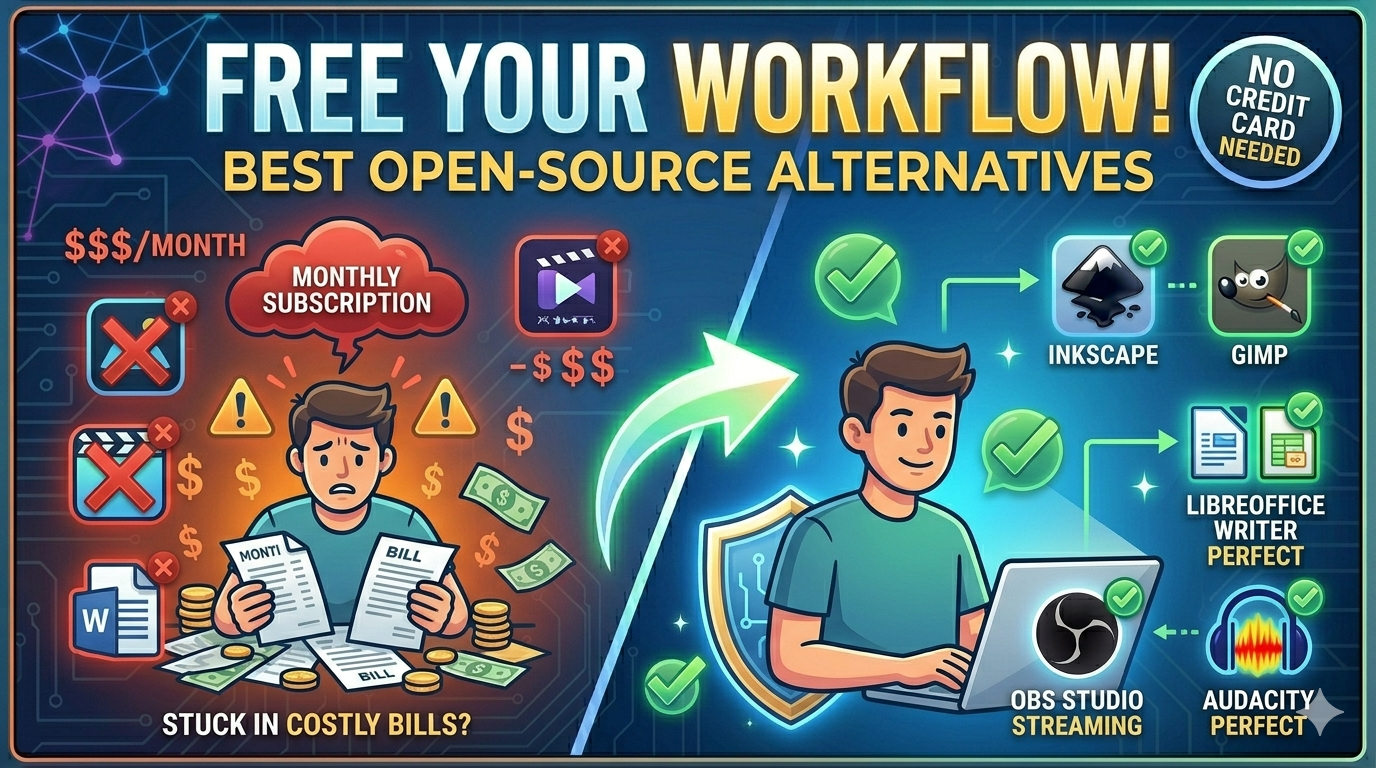
If you look at your monthly bank statement, you will likely notice a trend. We are living in the era of the “Subscription Economy.” From streaming services to meal kits, everything has a monthly fee.
But nowhere is this more prevalent—or more expensive—than in the software industry. If you are building an online business, managing your personal finances, or creating content for platforms like YouTube, TikTok, and Instagram, the cost of “industry-standard” software licenses can easily run into hundreds of dollars a month.
The good news? You do not have to pay the “SaaS (Software as a Service) tax.” There is a thriving, global community of developers building incredibly powerful, completely free software. It is called Open-Source Software, and it can replace almost every expensive app on your computer.
In this guide, we will break down the absolute best free alternatives to the world’s most expensive software, allowing you to create, manage, and grow without the monthly invoice.
What Does “Open-Source” Actually Mean?
Before we dive into the list, it helps to understand what makes a program “open-source.”
When a company like Microsoft or Adobe builds a program, the underlying code is a closely guarded secret (closed-source). You pay for the privilege of using the finished product.
Open-source software, on the other hand, makes its underlying code public. Anyone in the world can look at it, suggest improvements, fix bugs, and add new features. Because it is built collaboratively by a global community of passionate developers rather than a corporation focused on profit margins, open-source software is almost always 100% free to use, forever.
1. The Alternative to Microsoft Office
For decades, Microsoft Office (Word, Excel, PowerPoint) has been the default standard for productivity. Today, Microsoft pushes users toward an ongoing Microsoft 365 subscription. If you just need a reliable way to write scripts or build a complex budgeting spreadsheet to track your finances, you don’t need to pay a monthly fee.
The Champion: LibreOffice
LibreOffice is a massive, incredibly robust suite of applications that mirrors everything you know and love about Microsoft Office.
- LibreOffice Writer replaces Word.
- LibreOffice Calc replaces Excel (perfect for building those custom financial tracking templates).
- LibreOffice Impress replaces PowerPoint.
Why you will love it: It is entirely free, works completely offline, and—most importantly—it can open, edit, and save files in Microsoft’s native formats (
.docx,.xlsx). You can send a LibreOffice document to a client, and they will open it in MS Word without ever knowing the difference.
2. The Alternatives to Adobe Creative Cloud
Adobe’s suite of creative tools is magnificent, but at over $50/month for the full suite, it is a massive overhead cost. Whether you are designing logos for a new tech hub or making clickable social media graphics, the open-source community has you covered.
The Photoshop Alternative: GIMP
The GNU Image Manipulation Program (GIMP) is the undisputed king of free photo editing. While the interface has a slight learning curve if you are used to Photoshop, GIMP possesses 95% of the same power. It features advanced layering, masking, custom brushes, and powerful color-grading tools. It is more than capable of handling high-end photo retouching and creating engaging YouTube thumbnails or Instagram promotional graphics.
The Illustrator Alternative: Inkscape
If you need to design vector graphics—like clean, scalable business logos, neon banners, or typography—you need a vector editor. Inkscape is the open-source answer to Adobe Illustrator. It is incredibly powerful, actively updated, and perfect for creating assets that need to be scaled up for a website or down for a business card without losing quality.
3. The Alternatives to Expensive Video & Audio Production
Creating high-quality digital media is one of the most resource-intensive tasks you can do on a computer. Thankfully, you don’t need to buy a $300 license for Final Cut Pro or Camtasia to get started.
The Screen Recording & Streaming Champion: OBS Studio
Open Broadcaster Software (OBS) is nothing short of a miracle. It is a completely free, open-source program used by professional Twitch streamers and YouTube creators worldwide.
Whether you need to record a quick tech tutorial on your screen, stream a live event, or capture footage from multiple webcams simultaneously, OBS handles it perfectly. It has no watermarks, no time limits, and is packed with professional audio-mixing features.
The Audio Editing Alternative: Audacity
If you are recording voiceovers for a video script or starting a podcast, Audacity is the only audio software you will ever need. It has been the open-source standard for audio manipulation for two decades. It allows you to easily cut out dead air, remove background static, compress your voice for that “radio” sound, and export in any audio format you choose.
4. The Alternative to Premiere Pro (Honorable Mention)
While not strictly open-source, we must mention DaVinci Resolve.
If you are hiring a video editor or cutting your own TikToks and promotional videos, paying for Adobe Premiere Pro isn’t your only option. Blackmagic Design offers a free version of DaVinci Resolve that is so powerful, it is regularly used by Hollywood studios to color-grade feature films. The free tier contains virtually everything a content creator could ever need, from advanced timeline editing to visual effects, without ever asking for a credit card.
The Bottom Line
You do not need to let expensive software subscriptions drain your bank account or limit your creative potential. By migrating your daily workflow to tools like LibreOffice, GIMP, and OBS Studio, you are not just saving hundreds of dollars a year—you are joining a global community dedicated to keeping powerful technology accessible to everyone.
Leave a Reply