We all know the creeping anxiety of looking at your phone screen and seeing the battery icon turn angry red. If you rely on your phone for heavy lifting—like shooting high-res video for social media, managing an online business dashboard, or juggling multiple communication apps—a dying battery isn’t just an annoyance; it is lost productivity.
When a smartphone is brand new, it feels invincible, easily lasting a full day and then some. Fast forward 18 months, and you are suddenly hunting for an outlet by 2:00 PM.
Why does this happen? Every smartphone battery has a limited lifespan, but the rate at which it degrades is heavily influenced by how you treat it. Unfortunately, the internet is full of outdated advice from the flip-phone era. In this guide, we are going to separate battery myth from scientific fact, and give you the definitive rules for making your smartphone battery last for years.
Understanding the “Charge Cycle”
To understand battery health, you first need to understand the concept of a Charge Cycle. Modern smartphones use Lithium-ion (Li-ion) batteries. These batteries degrade slightly every time they complete one full charge cycle.
A charge cycle happens when you discharge 100% of your battery’s capacity.
- If you use 50% of your battery today, charge it back to full, and use 50% again tomorrow, that counts as one total charge cycle (50% + 50% = 100%).
- Most smartphone batteries are designed to retain about 80% of their original capacity after 500 charge cycles (roughly two years of normal use).
Your goal isn’t to prevent charge cycles—that’s impossible—but to reduce the stress on the battery so those cycles do less microscopic damage.
Busting the Biggest Battery Myths
Let’s start by unlearning the bad habits that might actually be hurting your phone.
Myth 1: You should let your phone die completely before charging it.
Status: FICTION. This was true for the older Nickel-Cadmium batteries used in early 2000s electronics, which suffered from a “memory effect.” If you didn’t drain them to zero, they “forgot” their full capacity.
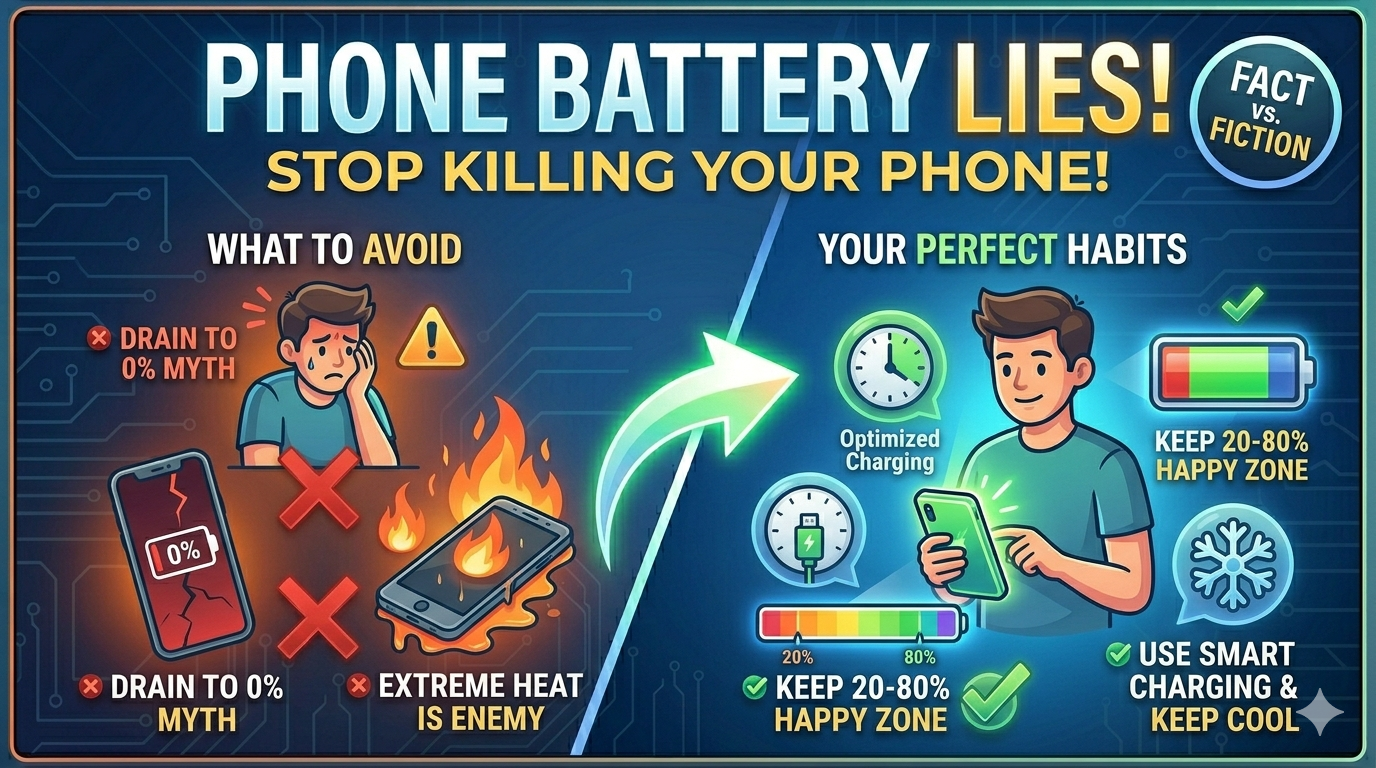
Lithium-ion batteries do not have a memory effect. In fact, letting a modern smartphone drop to 0% puts immense chemical stress on the battery. You should actively avoid letting your phone die completely.
Myth 2: Leaving your phone plugged in overnight “overcharges” and ruins it.
Status: MOSTLY FICTION.
Smartphones are exactly that—smart. Once your battery hits 100%, the internal circuitry physically cuts off the electrical current. It is impossible to “overcharge” a modern phone past 100%.
However, keeping a battery pegged at exactly 100% for eight hours straight keeps the internal voltage high, which does cause mild stress over time. (We will share the solution to this below).
Myth 3: Closing all your background apps saves battery.
Status: FICTION.
Both iOS and Android are incredibly efficient at “freezing” apps you aren’t actively using. Swiping up and force-closing an app completely removes it from your phone’s short-term memory (RAM). When you open that app again an hour later, your phone has to use more processing power and battery life to load it entirely from scratch. Leave your apps alone unless one is actively frozen or glitching.
The Golden Rules of Battery Health
If you want your phone’s battery to maintain its maximum capacity for as many years as possible, follow these three scientifically backed rules.
1. The 20-80% Rule
Lithium-ion batteries are happiest when they are roughly half-full. Pushing the battery to its absolute limits—either dropping it below 20% or forcing it all the way up to 100%—causes the most chemical wear and tear.
If you want to be a battery perfectionist, try to keep your phone’s charge between 20% and 80%. Unplugging your phone when it hits 80% instead of 100% can actually double the total lifespan of the battery.
2. Turn On “Optimized Charging”
Remember how leaving your phone plugged in overnight keeps it stressed at 100%? Both Apple and Android have created a brilliant software fix for this.
- On iPhone: Go to Settings > Battery > Battery Health & Charging > Turn on Optimized Battery Charging.
- On Android: Go to Settings > Battery > Turn on Adaptive Charging (or Battery Care, depending on the manufacturer).
When enabled, your phone learns your sleep schedule. If you plug it in at midnight and wake up at 7:00 AM, the phone will quickly charge to 80% and then stop. It will wait until 6:00 AM to trickle in the final 20%, ensuring it isn’t sitting at maximum voltage all night.
3. Heat is the Ultimate Enemy
Extreme temperatures destroy lithium-ion batteries faster than any charging habit.
- Never leave your phone sitting on the dashboard of a hot car.
- Do not leave it baking in direct sunlight at the beach.
- Crucially: If you play heavy mobile games or shoot lots of video while your phone is charging, and you feel the device getting uncomfortably hot, unplug it immediately or take off the heavy protective case to let it breathe.
Quick Tweaks to Extend Your Daily Battery Life
While the rules above protect your battery’s long-term health, here are three quick settings you can change right now to make your current charge last longer throughout the day:
- Embrace Auto-Brightness: Your screen is the number one battery drain. Manually keeping it at 100% brightness will kill your phone by lunchtime. Turn on Auto-Brightness so it dims in dark rooms.
- Audit Your Location Services: Does a fast-food app really need to track your GPS coordinates 24/7? Go to your privacy settings and change location access to “While Using the App” for everything except navigation tools.
- Manage Background App Refresh: While force-closing apps is bad, letting 50 different apps constantly download new data in the background is worse. Turn off Background App Refresh for apps that don’t need to instantly notify you of updates (like games or local utility apps).
The Bottom Line
Smartphone batteries are consumable items. No matter how perfectly you treat them, they will eventually degrade. However, by keeping your phone out of the extreme heat, avoiding the 0% drop, and utilizing smart software features like optimized charging, you can easily squeeze an extra year or two of peak performance out of your device before ever needing to visit a repair shop.
Leave a Reply